Showing posts with label Oracle. Show all posts

Friday, May 7, 2010

ORACLE: Oracle AS 10.1.2.0.2

*Alert Another Oracle related technical post.


Salam and good-day all my technical readers (Though i knew, not many of my fans are technical readers). :D

Have you ever heard of Oracle Application Server? No? Why not? You use tomcat? With administrative gui? What if your gui crash? or worst, it's not pre-installed? Dont worry, there's always another way to spell three.

Prereq:
local oc4j 10.1.0.2

Step-by-step:
1. Make sure your local oc4j 10.1.0.2 is up and running.

2. Issue this command
java -jar admin.jar ormi://oc4jHost:oc4jOrmiPort adminId adminPassword options

EG:
F:\oc4j_extended\j2ee\home>java -jar admin.jar ormi://sphbdb:23791 admin password
4 -help
Error: Illegal command -help
Usage:
java -jar admin.jar [-help] - print out this usage

java -jar admin.jar ormi://host.domain.com<:port> username password [command]
Commands are:
-shutdown [force|ordinary] [reason] - shuts the entire server down
-restart [reason] - restarts the entire server
-deploy [subswitches] - (re)deploys an application. Sub-switches are:
   -file [filename] - Enterprise Archive to deploy
   -deploymentName [name] - Name of the application deployment
   -targetPath [path] - The path on the remote OS to place the archive at. If no
t specified the applications directory is used
   -parent [name] - Specifying parent application of this application, the defau
lt is the global ('default') application
   -deploymentDirectory [path] - Root of the deployment configurations, "[NONE]"
 to place them inside the .ear
   -cluster - Signals that the deployment should be propagated to other live clu
ster nodes if part of a cluster
   -iiopClientJar - the path on the local OS to place the jar file containing th
e application client stubs
-undeploy [application name] - remove a previously deployed application
-site [subswitches] - configures a site. Sub-switches are:
   -add - adds a site
      -host [host] - host/IP of this site
      -port [port] - port of this site
      -display-name [display-name] - display name of this site
      -virtual-hosts [virtual-hosts] - virtual hosts of this site
      -secure [secure] - true if this site is secure; otherwise false
      -factory [factory] - name of SSLServerSocketFactory implementation if not
using JSSE
      -keystore [keystore] - the relative/absolute path to a keystore used by th
is site
      -storepass [storepass] - keystore password
      -provider  [provider] - the provider used if not using JSSE
      -needs-client-auth [needs-client-auth] - true if needs client auth; otherw
ise false
   ......... yada yada yada yoda..


*This mean your oc4j is up and running. Congrats!

3. Issue this command to start the deployment process:

java -jar admin.jar ormi://localhost:23791 oc4jadmin password -deploy -file utility.ear -deploymentName utility 

Example Output:

F:\oc4j_extended\j2ee\home>java -jar admin.jar ormi://sphbdb:23791 admin password
 -deploy -file F:\2_devspace\1_MBAS\listprovider\deploy\listprovider.ear -deplo
ymentName listprovider
Notification ==> Application Deployer for listprovider STARTS [ 2010-05-07T16:09
:25.088SGT ]
Notification ==> Undeploy previous deployment
Notification ==> Copy the archive to F:\oc4j_extended\j2ee\home\applications\lis
tprovider.ear
Notification ==> Unpack listprovider.ear begins...
Notification ==> Unpack listprovider.ear ends...
Notification ==> Initialize listprovider.ear begins...
Notification ==> Initialize listprovider.ear ends...
Notification ==> Initialize listprovider begins...
Notification ==> Initialize listprovider ends...
Notification ==> Application Deployer for listprovider COMPLETES [ 2010-05-07T16
:09:38.675SGT ]


F:\oc4j_extended\j2ee\home>

4. Test your application in browser.
 
Now your application is deployed. :P Any question? do leave comment(s). 


Thursday, April 29, 2010

Change Your ORACLE_SID: Part II

* Warning: Technical Entry


If you're facing intermittent database connection to your fresh installed Oracle XE you may be victim of software counterfeiting. :D

ORA-12519, TNS:no appropriate service handler found The Connection descriptor used by the client was

Don't worry, I'm just kidding. I found it irritating at first time. provided search result from google, i found one simple solution.

This problem maybe because maximum number of processes allowed to run. Don't worry, just alter the database to allow maximum process.


1. type command below:

sqlplus "/as sysdba"


2. Enter this command:

SQL>ALTER SYSTEM SET PROCESSES=150 SCOPE=SPFILE;


3. Shutdown your database.

SQL>shutdown immidiate;

4. Start
SQL>startup

5. Wahlah! No more irritating ORA-12519!

PS: Bear in your blurry mind that this happen if you're connection exceed maximum connection. make sure you close your connection every time you have finished using it. (Sorry my bad English).

Thursday, April 22, 2010

Change Your ORACLE_SID

* Warning: Technical Entry


Salam and good day,

I'm sure if you're working on oracle DB, some of you use ORACLE XE as local database to test for your convenience. It's different from what is installed on your server. What we do, we change the SID to meet our need. But how? This tutorial will show you an example to change our SID from XE to ORCL.

Prerequisites:
Windows Vista (This is my setting you might use other OS as well).
Oracle Database 10g Express Edition (Of course its free to develop, deploy and distribute. download here)
Oracle DB was installed on the target machine.

Reminder:
Maximum 8 char for SID

Step-by-step guide
1. Shutdown the database.
sqlplus /as sysdba
shutdown

2. Use control panel to shutdown OracleService (In this case service name are OracleServiceXE and listener OracleXETNSListener) or issue this command in your command prompt:

lsnrctl stop
net stop OracleXETNEListener
net stop OracleServiceXE

3. Rename or copy SPFileXE.ora to SPFileORCL.ora. The file is at
C:\oraclexe\app\oracle\product\10.2.0\server\dbs 
 Depending on your installation setting.

4. Copy and rename C:\oraclexe\app\oracle\product\10.2.0\server\database\initXE.ora to initORCL.ora then modify the spfile line to point to the new spfile.

5. Assign this command in your command prompt to create new service and remove the old one.
oradim -new -sid ORCL -startmode auto -pfile C:\oraclexe\app\oracle\product\10.2.0\server\database\initORCL.ora 
oradim -delete -sid XE
6. Type this in your command line to start up your listener.
lsnrctl start
 7. We're almost done, Set your oracle SID to ORCL now. Type:
set ORACLE_SID=ORCL
8. Run this query after altering process is finish.

C:\Users\xx>sqlplus "/as sysdba"

SQL*Plus: Release 10.2.0.1.0 - Production on Thu Apr 22 19:30:14 2010

Copyright (c) 1982, 2005, Oracle.  All rights reserved.


Connected to:
Oracle Database 10g Express Edition Release 10.2.0.1.0 - Production

SQL> alter system register;

System altered.

SQL> select instance_name from v$instance;

INSTANCE_NAME
----------------
orcl

SQL>

9. orcl is our new SID.

Tuesday, May 19, 2009

Meja Seorang Programmer


Anda adalah seorang programmer dalam kompeni anda? anda tercari2 apa yang perlu ada di atas meja anda? cuba perhatikan gambar di atas. Gambar ini adalah gambaran sebenar pada meja rakan aku. kepada rakan2 yang lain. ajngan kecil/ terasa hati. kerana akan ku snap juga meja anda suatu hari nanti. :D
P/S: Sile klik pada gambar untuk melihat lebih jelas apa yang berada di atas meja tersebut. :D

Tuesday, March 17, 2009

Microwave safety (?)

*Technical*

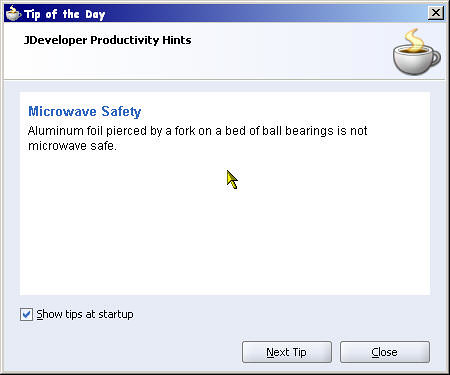
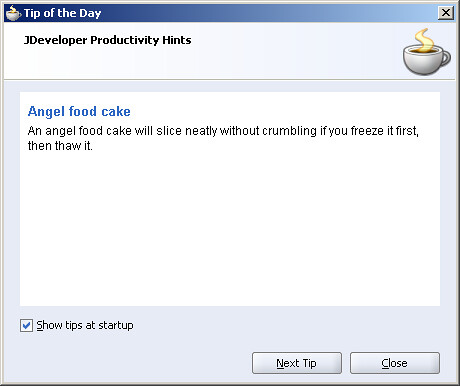
Pagi ni aku bukak Oracle Jdeveloper macam biasa. Macam biasa jugak, Oracle JDev akan tunjukkan ala-ala tip of the day kepada user nya. tapi satu yang menggelikan hati telah berlaku. :D. Apa korang akan buat kalau dapat tip of the day macam kat bawah nih.

Kalau dpt hint macam ni, aku tau, ia di tujukan untuk kak surimus Prime! hehehe..